 |
Global CASHplus CashWeb |
|
Global CASHplus CashWeb |
Defining user accounts

The User Account screen lists all user-account relationships set up to ensure application security, along with other details like client, account type, currency and status of each relation. With this relationship, you can assign specific accounts to a user. While initiating transactions, users can access only the assigned accounts.
1. Click Admin >> User Setup >> User Accounts to open the ‘User Accounts List’ screen.
Note: You can also view the summary using the filters on this screen.
2. Select the user from the drop-down list to whom you want to assign the account rights.
3. Click Filter to retrieve the list of accounts which can be assigned to the selected user.
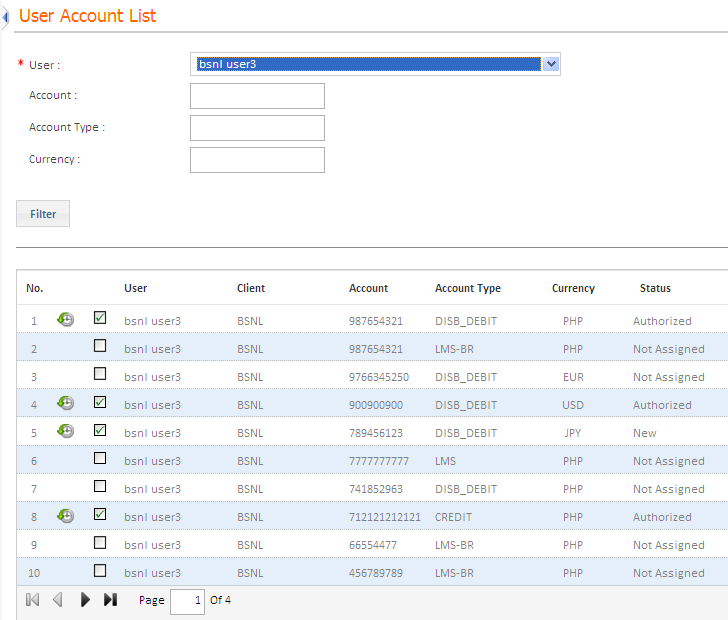
4. Click the Assign check box to allow the user to access the selected account. The status of the record changes to New.
Authorization is required for all user accounts that are newly setup or edited. Click here to know more about Authorizing Master Definitions.
|
© 2014 Fundtech. All rights reserved. |

